
Author: Krishna Sreeram
Director of Advertising SellCord
Walmart shoppers move fast. Search, tap, add to cart, checkout. Three clicks.
If your product is not in Sponsored Products, most of those shoppers never see it. The listing can be excellent. It won't matter.
Organic space on Walmart.com is thin. The top of the page is paid. So you are not competing on quality alone. You are competing on visibility, and visibility is bought.
The good news is that you don't need a large budget to start. You can launch small, learn what works, and scale only what earns.
This guide covers the auction, the gates you have to clear, the money math, and what to do in week one.
How the auction works
Walmart Sponsored Products runs a second-price auction. The winner pays one cent more than the second-highest bid, not their full bid. So you are not punished for bidding what a click is worth to you.
But bid is only half of it. The winner is decided by relevancy multiplied by bid. A highly relevant product with a modest bid can beat a loosely relevant one throwing money at the keyword.
You cannot outbid your way to the top. If your title, attributes, and category don't match the search, Walmart won't hand you the placement at any price. Relevancy first. Bid second.
The 3 eligibility gates
Before your ad serves at all, the item has to clear three gates. Miss one and you are invisible, whatever your budget.
- In stock. Out of stock means out of the auction.
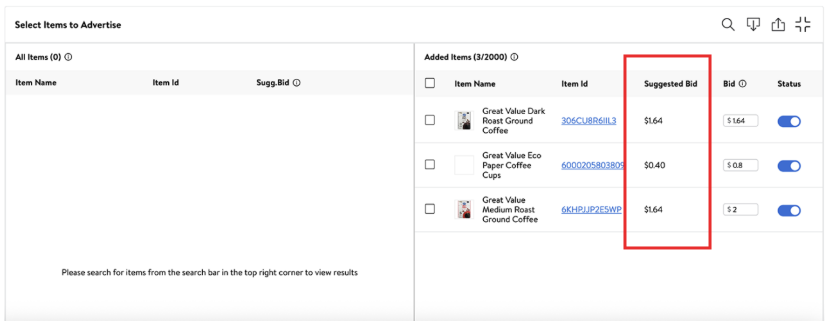
- Winning the Buy Box. If you are not the Buy Box winner, your ads stop serving the moment you lose it. On multi-seller listings this ends a lot of new campaigns.
- Published and eligible. The item has to be live and ad-eligible. New items can take up to 7 days to become ad-eligible after they go live, so don't panic if a fresh SKU won't launch on day one.
That second gate is worth a warning. Losing the Buy Box stops your ads instantly. You can be paying for a campaign that serves nothing while another seller holds the box.
Check it before you spend.
The money math
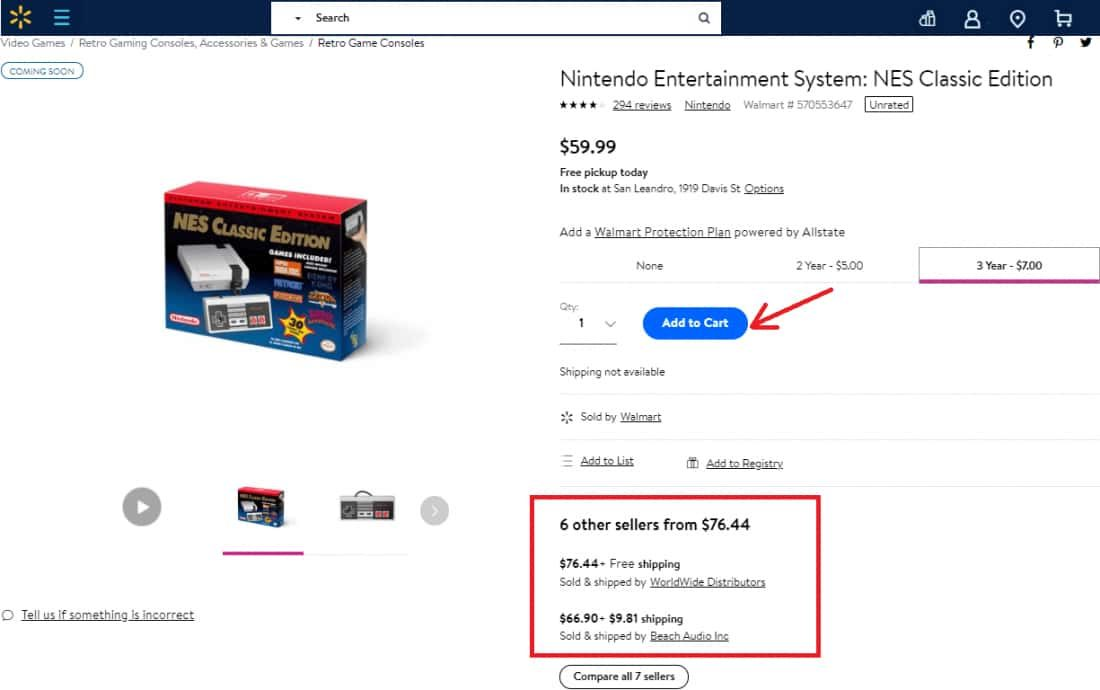
Minimum bids are the same for everyone, 1P or 3P:
- $0.20 minimum bid for automatic campaigns
- $0.30 minimum bid for manual campaigns
Your daily budget is a ceiling, not a target. But it is a soft ceiling. Walmart will never spend more than 2x your daily budget in a single day. Set a $25 daily budget and the worst case is $50 on a high-traffic day.
Build that into your planning so a busy Saturday doesn't surprise you.
The reason for the 2x rule is that traffic is uneven. Walmart front-loads spend when demand spikes so you don't miss conversions, then evens out across the month. Plan around the 2x, not the base number.
Auto vs manual
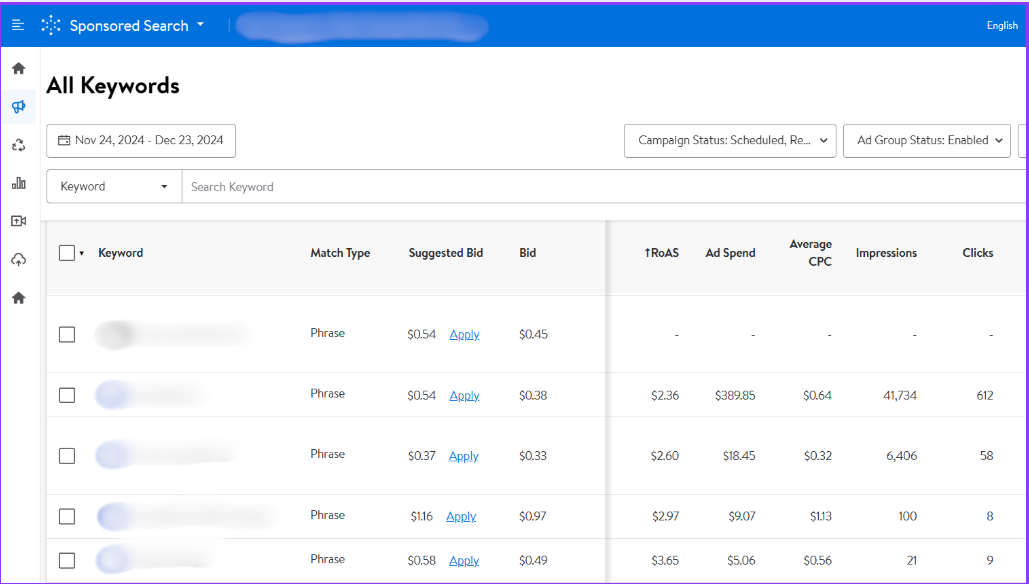
Automatic: Walmart picks the keywords and placements. Fastest way to launch and to learn what shoppers actually search. Manual: you choose the keywords and control the bids. More work, more control, better once you know your winners.
Start auto. Let it run. Then mine the search-term data for the keywords that convert and graduate those into a manual campaign where you set the bid.
1P vs 3P: what changes for each
The auction and the gates are identical. The money and the billing are not.
3P (Marketplace Sellers):
- Minimums: $10/day and $50 total campaign budget.
- Billing: ad spend is auto-deducted from your bi-weekly settlement, or charged to a card on file.
- Bonus: you get a listing-quality score. Fix that first. A weak score drags relevancy, and relevancy is half the auction.
1P (Suppliers):
- Minimums: $50/day and $100 total campaign budget. Higher floor, so plan a bigger starting pool.
- Billing: invoice-billed to your billing contact, not deducted from a settlement.
- Bonus: you can serve the suppliers-only Stock Up placement, a shelf 3P sellers cannot access.
The takeaway is simple. 3P can start for $50 total. 1P needs at least $100 committed, and should route billing to the right contact before launch so nothing stalls in accounts payable.
Your first-week launch checklist
- Confirm the gates. In stock, winning the Buy Box, published and ad-eligible. If the item is brand new, wait out the 7-day window.
- Fix listing health first (3P). Clear your listing-quality score issues before spending. Better relevancy, cheaper clicks.
- Launch one automatic campaign. Start with your best-selling, best-reviewed SKUs. Winners earn more shopper trust and better Buy Box odds.
- Set a sane budget. Remember the 2x rule. A $25 daily budget can spend up to $50 in a day.
- Use minimum bids to start. $0.20 auto. Let the data tell you where to raise.
- Wait a full week before judging. Early data is noisy. Don't kill a campaign on day two.
- Harvest and graduate. Pull converting search terms from your auto campaign into a manual one, then bid up your winners.
Before you spend a dollar, check the gates
The fastest way to waste your first $50 is to run ads on a product that cannot win the Buy Box, or a listing Walmart scores as low quality. Both are fixable. Both are invisible until you look.
SellCord runs a free Buy Box and listing-health eligibility check for suppliers and sellers. We tell you which SKUs are actually ad-ready and which ones will spend budget serving nothing, before you launch.
Send us your catalog. We will flag the winners and the leaks.
Closing thought
Walmart Ads reward fundamentals: in stock, Buy Box won, listing healthy, budget planned around the 2x.
Get those in place before the first dollar. Scaling gets easy after that. At Sellcord, we can help you achieve outstanding ad performance. Contact us today!