
Building below the fold content used to mean weeks of back and forth with a design team, and most Walmart marketplace sellers simply skipped it because of the time cost. That gap is closing fast.
AI generated rich media now lets any walmart seller produce Feature Set images, product copy, and interactive modules in minutes instead of weeks, using tools built directly into Walmart's own ecosystem and into agency platforms like Dashna.
This guide walks through what AI generated rich media actually is, why it matters for your listing quality score, and how to build it step by step, whether you use Walmart's native tools or an agency-built solution.
What Is AI Generated Rich Media?
AI generated rich media is below the fold content, such as Feature Set images, product copy, image carousels, and interactive product tours, that is created using artificial intelligence instead of a manual design process.
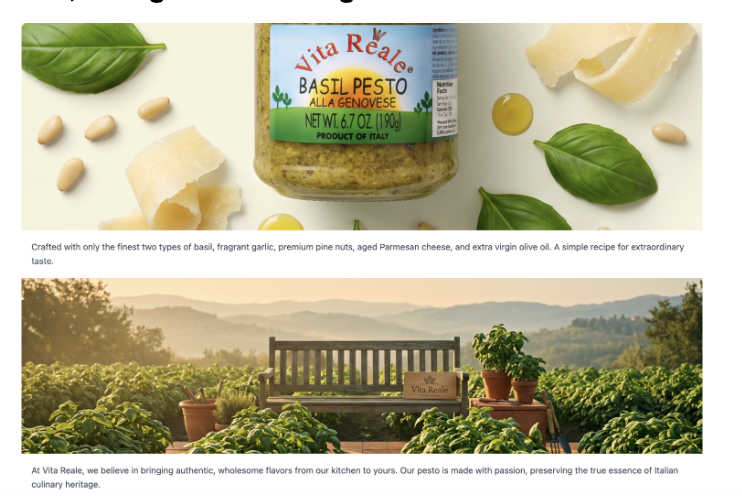
On Walmart marketplace, this shows up in two places: Walmart's own Success Hub Gen AI tool, which drafts item names, descriptions, and key features inside walmart seller center, and platform-side tools like Dashna's "Build with AI," which generates images and text for Feature Set modules that live in the "About the Brand" section of a walmart product listing.
Both are designed to speed up content production while keeping listings compliant with Walmart's content standards.
Why Does AI Generated Rich Media Matter for Walmart Sellers?
Content quality is one of five components of your Listing Quality score, alongside price competitiveness, shipping, published and in stock status, and ratings and reviews. Weak or incomplete content drags that score down, which can hurt visibility, conversion, and even your standing for the walmart buy box on shared listings.
Skipping rich media entirely means leaving a proven lever unused: sellers who use Gen AI content recommendations see their content quality score improve by more than 10 percent compared to sellers who do not. For a walmart third party seller managing a large catalog, that difference compounds across every SKU.
How to Create AI Generated Rich Media: Step-by-Step
1. Start with Success Hub for copy
Walmart's Success Hub, found under Growth in walmart seller center, generates suggested item names, descriptions, and key features for each item. Select an item, review the suggestion, and either accept it as is or edit before submitting. The tool is trained on Walmart's own content standards, so suggestions are already aligned with formatting and compliance rules before you ever touch them.
2. Optimize existing catalog items in bulk
You are not limited to new listings. GenAI Bulk lets you select up to 20 existing items at once and generate updated content in about 10 seconds. Prioritize your customer favorite items first, since these carry the most visibility and the biggest return on improved content.
3. Toggle Build with AI for Feature Set modules
Inside Dashna, select modules marked with a dark blue highlight and an AI badge, then toggle Build with AI. This generates an AI-assisted Feature Set layout with images and supporting text already drafted, cutting most of the manual design time out of below the fold content production.
4. Add interactive AI generated modules
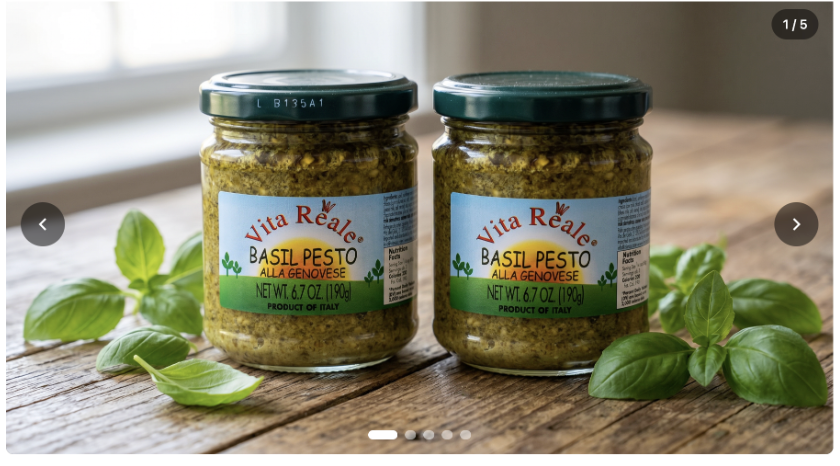
Beyond static Feature Sets, AI-assisted tools can generate an image carousel with navigation and autoplay, or a product tour with clickable hot spots. These modules give shoppers an interactive way to explore your walmart product listing without leaving the page.
5. Combine and reorder for a complete rich media set
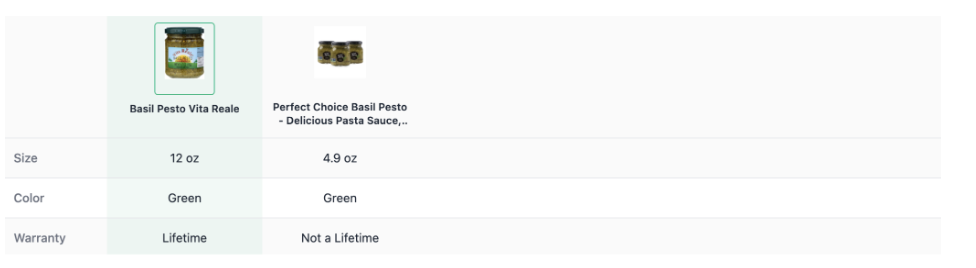
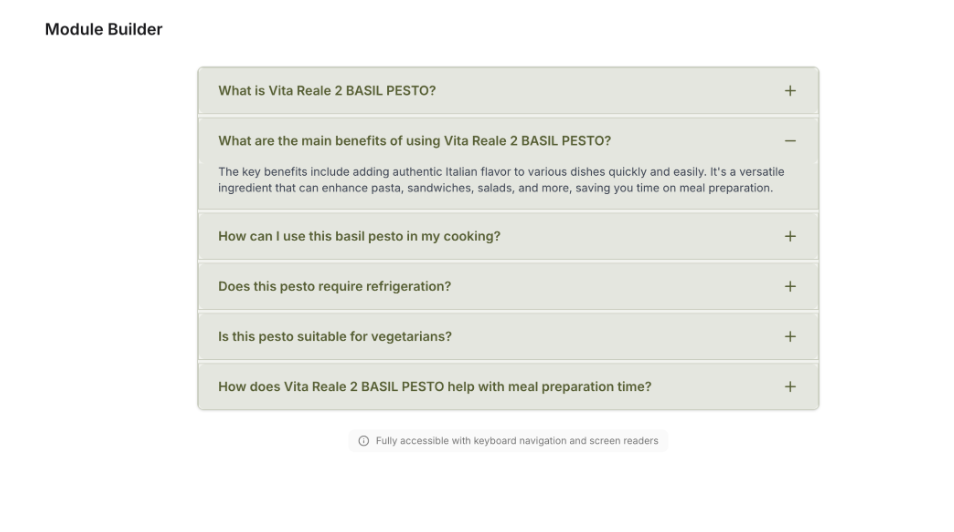
Most brands use the Feature Set module several times, then round it out with one or two additional modules such as before and after comparisons, an FAQ section, or a comparison table. Combine and reorder these to build a complete below the fold experience for each item.
6. Submit and track approval
Once your AI generated rich media is built, submit it through the Media Library in seller center. Walmart's review process typically takes two to five business days. After approval, track the impact through your Listing Quality dashboard.
Success Hub Gen AI versus Dashna Build with AI
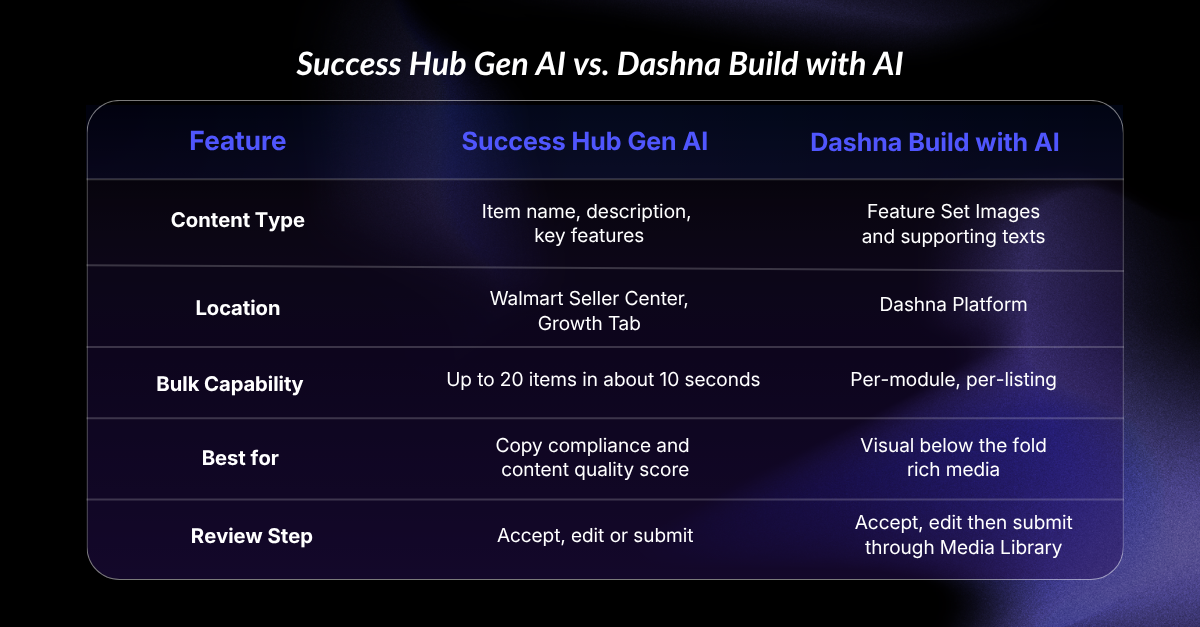
Choose Success Hub Gen AI if your priority is fixing content quality score gaps across a large catalog quickly. Choose Dashna's Build with AI if your priority is producing visual, below the fold rich media modules without a full design cycle. Most established brands end up using both together: Success Hub for copy, Dashna for visuals.
What changed in 2026: GenAI Bulk expanded Success Hub from single-item edits to a 20-item batch process, and Walmart's newer Item Spec 5.0 attributes now feed more specific product type data into these AI suggestions, improving accuracy for niche categories.
Common AI Generated Rich Media Mistakes to Avoid
Sellers new to these tools tend to make a few avoidable errors. Submitting AI suggestions without reviewing them first is the most common one, since Walmart is explicit that sellers remain responsible for accuracy even when content is AI-generated.
Skipping the Feature Set module entirely and jumping straight to secondary modules like FAQs or comparison tables leaves your walmart marketplace listing without the strongest visual anchor. Treating Build with AI as a one and done tool, rather than reviewing and refreshing content as Walmart's content standards update, is another.
Finally, some sellers ignore the connection between content quality and their Listing Quality dashboard entirely, missing an easy way to track whether the AI generated content is actually moving the needle.
Frequently Asked Questions About AI Generated Rich Media
Is AI generated content allowed on Walmart?
Yes. Walmart permits AI-generated content as long as it is accurate, truthful, and rights-compliant, and it follows the Product details policy. Sellers are responsible for reviewing AI output before publishing.
How is Walmart's Gen AI content different from tools like ChatGPT?
Walmart's Gen AI tool is trained specifically on Walmart's own content standards, so suggestions are built to address whatever is negatively affecting your Listing Quality score, rather than generating generic product copy.
What rich media can I create with AI for a Walmart listing?
Feature Set images and text, image carousels, product tours with hot spots, before and after comparisons, FAQs, comparison tables, and PDF uploads can all use AI-assisted generation depending on the platform.
Does Dashna support AI generated rich media modules?
Yes. Dashna's Build with AI feature generates images and text for select Feature Set modules, marked with a dark blue highlight and an AI badge.
How long does Walmart take to approve AI generated rich media?
Walmart's rich media review process typically takes two to five business days after submission through the Media Library.
Conclusion
AI generated rich media has moved from a nice to have to one of the fastest ways to close content gaps across a large walmart ecommerce catalog.
Whether you start with Walmart's own Success Hub Gen AI for copy or Dashna's Build with AI for Feature Set visuals, the goal is the same: better content quality score, better below the fold content, and less manual production time.
Sellers who build a habit of reviewing and refreshing this content, rather than treating it as a one time project, tend to see the strongest results heading into the rest of walmart 2026.
Want expert help building AI generated rich media for your Walmart listings? SellCord's team of Walmart specialists designs, reviews, and hosts every rich media module, fully compliant with Walmart's guidelines. See SellCord's Walmart rich media services.